Your website speaks before you do.
When visitors land on your site, they instantly judge your brand based on design, layout, speed, and usability. Within seconds, they decide whether to trust you or leave.
That is where UI/UX design plays a powerful role.
If you want to build authority, improve conversions, and strengthen customer trust, you must invest in strong UI/UX design.
Let’s explore how UI/UX design can boost your brand credibility and position your business as a market leader.
Introduction
UI (User Interface) focuses on how your website looks.
UX (User Experience) focuses on how your website feels and functions.
Together, they shape how users interact with your brand online.
In 2026, users expect clean design, fast performance, and effortless navigation. If your website looks outdated or confusing, people assume your business operates the same way.
Strong UI/UX design builds confidence. Poor design destroys trust.
What Is UI/UX Design?
UI design includes:
- Layout
- Colors
- Typography
- Buttons
- Visual elements
UX design includes:
- Navigation flow
- Page structure
- Loading speed
- Accessibility
- Overall user journey
UI attracts attention. UX keeps visitors engaged.
When both work together, your brand feels professional and reliable.
Why Brand Credibility Matters
Brand credibility influences:
- Purchase decisions
- Customer loyalty
- Online reputation
- Word-of-mouth marketing
If users trust your website, they trust your business.
Modern consumers research before buying. They evaluate your digital presence carefully. A polished, user-friendly website increases trust instantly.
1. First Impressions Build Instant Trust
Users form opinions about your website in seconds.
A clean layout, consistent branding, and modern visuals show professionalism.
Cluttered designs, broken links, or poor mobile responsiveness damage credibility immediately.
Strong UI design ensures your first impression works in your favor.
2. Easy Navigation Builds Confidence
Confusing menus frustrate users.
When visitors find information easily, they feel comfortable exploring your brand.
Clear navigation:
- Reduces bounce rate
- Increases session duration
- Improves engagement
A smooth user journey communicates reliability.
3. Mobile-Responsive Design Increases Authority
Most users browse on mobile devices.
If your website does not adapt to different screen sizes, users lose trust.
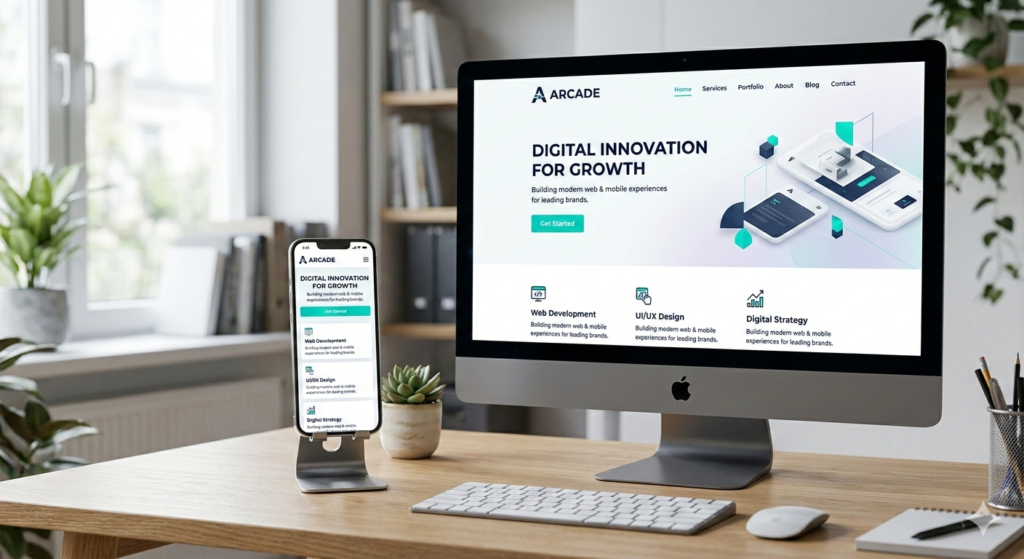
Responsive UI/UX design ensures seamless performance across smartphones, tablets, and desktops.
A mobile-friendly website signals that your brand stays current and customer-focused.
4. Faster Loading Speed Improves Perception
Slow websites create doubt.
Users associate speed with efficiency and professionalism.
Optimized UX design improves:
- Page loading time
- Performance
- Server response
Fast websites feel more credible.
5. Consistent Branding Strengthens Recognition
UI design helps maintain brand consistency through:
- Color schemes
- Typography
- Icons
- Visual style
Consistency builds familiarity.
Familiar brands feel trustworthy.
When users recognize your brand style across pages, they perceive your business as stable and organized.
6. Clear Call-to-Action Builds Decision Confidence
Strong UX design guides users toward action.
Clear call-to-action buttons reduce confusion.
When users understand what to do next, they feel more confident making decisions.
Clarity builds trust.
7. User-Centered Design Shows You Care
UX design focuses on solving user problems.
When visitors experience:
- Logical structure
- Helpful content
- Accessible features
They feel valued.
User-centered design communicates that your brand prioritizes customer needs.
8. Reduced Errors Increase Professionalism
Broken pages, misaligned layouts, and technical glitches damage credibility.
Well-designed UI/UX reduces technical issues.
Professional websites operate smoothly.
Smooth experiences build confidence.
Benefits of Strong UI/UX Design
Businesses that invest in UI/UX enjoy:
- Higher conversion rates
- Lower bounce rates
- Stronger brand authority
- Increased customer trust
- Better search engine performance
Google also favors websites with positive user experience signals.
Good design improves both branding and SEO.
Practical Steps to Improve UI/UX for Credibility
If you want to strengthen your brand image, follow these steps:
Step 1: Simplify Your Layout
Remove unnecessary elements. Focus on clarity.
Step 2: Improve Website Speed
Compress images and optimize performance.
Step 3: Make Navigation Clear
Use simple menu structures and logical page flow.
Step 4: Maintain Brand Consistency
Use consistent colors, fonts, and messaging.
Step 5: Test on Multiple Devices
Ensure smooth performance on mobile and desktop.
Small improvements create big credibility gains.
Common UI/UX Mistakes That Hurt Credibility
Avoid these errors:
1. Overcrowded Design
Too many elements overwhelm users.
2. Poor Mobile Optimization
Non-responsive sites frustrate visitors.
3. Slow Loading Speed
Delays reduce trust instantly.
4. Weak Visual Hierarchy
Users should know what matters first.
5. Complicated Checkout Process
Complex forms reduce conversions.
Fixing these issues dramatically improves brand perception.
Future Trends in UI/UX Design for 2026
UI/UX continues to evolve.
Expect to see:
- AI-driven personalization
- Voice-enabled interfaces
- Micro-interactions for engagement
- Minimalist design trends
- Accessibility-first design approaches
Brands that adopt these trends build stronger digital authority.
Modern design reflects modern thinking.
Conclusion
UI/UX design does more than make your website look good.
It builds trust.
It strengthens authority.
It improves conversions.
If you want your brand to appear professional, reliable, and customer-focused, invest in high-quality UI/UX design.
Do not let poor design undermine your credibility.
Upgrade your digital presence today and position your brand for long-term success.
If you need expert UI/UX design and modern website development, partner with GearUp Code to build a powerful, conversion-driven digital experience.